

If you’ve ever tried to film a talking reel and found yourself restarting for the 15th time because you lost your train of thought mid-sentence — learning how to use the Storyboard feature on the Instagram Edits app will cut your content creation in HALF.
Learning how to use the Storyboard feature on the Instagram Edits app completely changed the way I film reels. Instead of recording one long take, I map out your content in sections and film each one separately. I mess up point two? I can easily re-film point two. The rest of my video stays exactly how it is.
I’ve been using this feature for a while, but a recent creator challenge pushed me to film way more on-camera content than usual, and it’s really shown me that this is the one tool that makes talking reels actually manageable.
TL;DR — How to Use the Storyboard Feature on the Instagram Edits App
- Open the Edits app → tap the sticky note icon (bottom left) → hit the plus sign → select “Storyboard”
- Write a scene-by-scene outline (not a word-for-word script)
- Film each section separately using the built-in teleprompter
- Mark your best take per scene as “favorite”
- Tap “new project” — your favorite clips auto-compile into one video
What Is the Storyboard Feature on the Instagram Edits App?
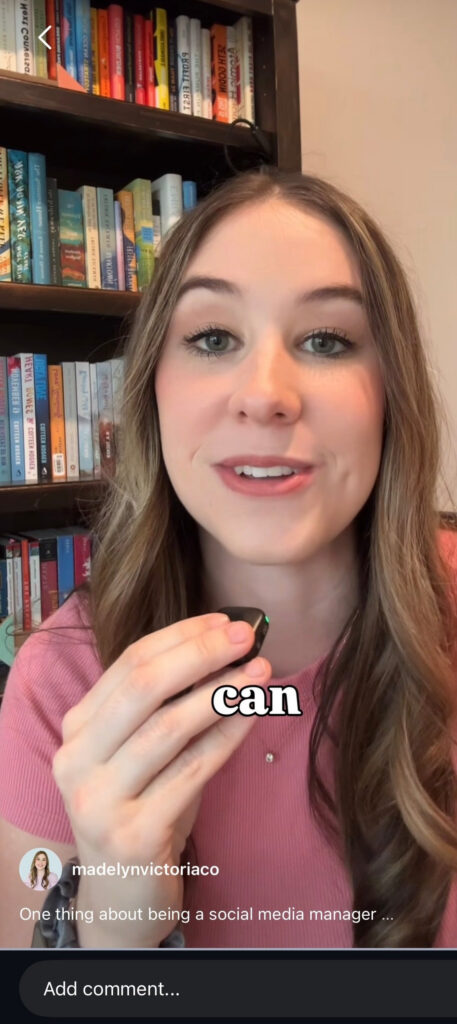
The Instagram Edits app is Meta’s standalone video creation tool, separate from the main Instagram app and built specifically for reels. The Storyboard feature inside it lets you outline your video section by section, then record each section as its own clip with your notes showing as a teleprompter on screen.
The result: no more recording your entire reel from scratch every time you stumble. You only re-film the part that didn’t sound right.
How to Use the Storyboard Feature on the Instagram Edits App (Step by Step)
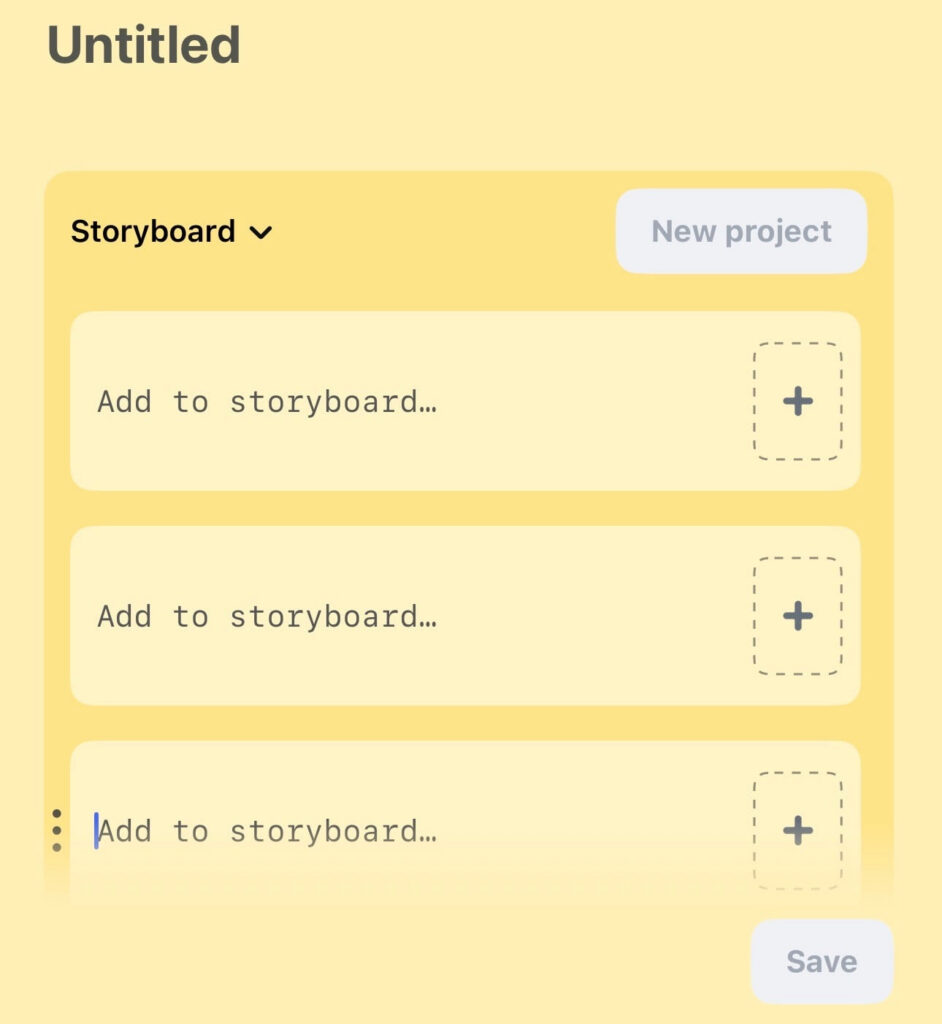
Step 1: Set up your outline
Open the Edits app and tap the sticky note icon in the bottom left corner. Hit the plus sign, then tap “Storyboard.”
You’ll see a workspace where you can map out your reel section by section. Here’s the most important thing to know: write an outline, not a script. Word-for-word scripts sound fake, and your audience will feel the difference. Give yourself bullet points and trust yourself to fill in the rest.
A simple Storyboard outline might look like:
- Section 1: Opening hook
- Section 2: First main point (with any sub-points you want to hit)
- Section 3: Second main point
- Section 4: Call to action or closing
Step 2: Film scene by scene
Tap the plus sign on the right side of each section to record. The app goes scene by scene and shows your notes as a teleprompter while you film, so you always know what you’re supposed to say next.
When you stumble (and you will, because everyone does) you just re-film that one scene. Do as many takes as you need, then mark your best one as “favorite.”
Step 3: Compile and edit
When you’re ready to pull everything together, tap “new project.” All the clips you marked as favorite automatically load in, in order, ready to edit. No scrolling through 30 nearly-identical attempts in your camera roll. (Believe me, guys, that was the worstttt.)
Why This Actually Matters for Your Content Strategy
Talking reels are one of the highest-converting content formats for service providers and coaches right now. They let potential clients hear your voice, watch how you think, and decide whether they trust you before they reach out.
Most people avoid them because the filming process can feel overwhelming and inefficient. Nobody wants to spend 45 minutes recording a 45-second video.
The Storyboard feature on the Instagram Edits app removes most of that friction. You still have to show up on camera (no shortcut there), but the process around it gets a lot more manageable.
Want an overview of what the actual process of working with me looks like — from how content gets off your plate to what changes in the first 30 days? Click here to read a short blog post about it!
Frequently Asked Questions About the Instagram Edits App Storyboard Feature
What is the Storyboard feature on the Instagram Edits app?
The Storyboard feature is a built-in planning and filming tool inside Instagram’s Edits app. It lets you outline your reel section by section, then film each section as a separate clip with a teleprompter showing your notes. When you’re done filming, your best takes auto-compile into one video.
How do I access the Storyboard feature in the Instagram Edits app?
Open the Edits app, tap the sticky note icon in the bottom left corner, hit the plus sign, then select “Storyboard.” From there you can add sections, write your outline, and film each clip individually.
Is the Instagram Edits app free?
Yes. The Edits app is free to download and use on both iOS and Android. The Storyboard feature is included at no cost.
Do I need to be a professional video creator to use the Storyboard feature?
No! It’s specifically designed for people who aren’t professional video creators — anyone who wants to film a clear, organized talking reel without a full production setup or multiple hours of recording time.
How is the Storyboard feature different from a regular teleprompter app?
A standard teleprompter shows you a script to read from start to finish. Storyboard lets you film section by section, so if you mess up one part, you only re-record that one clip. It also automatically compiles your favorite takes into a single video, which a standalone teleprompter doesn’t do.
Can I use the Edits app Storyboard feature on Android?
Yes. The Instagram Edits app and its Storyboard feature are available on both iOS and Android devices.
The Bigger Picture
Knowing how to use the Storyboard feature on the Instagram Edits app is one piece of the content puzzle. But if you’re a service provider trying to grow on Instagram, the real question is: what are you saying once you hit record, and is it actually moving people to reach out?
That’s the strategy side, and it’s where most business owners get stuck. If you’d rather hand the whole thing off to someone who does this every day, that’s exactly what I do. Social media management for 6- and 7-figure service providers who want a content presence that actually converts, without having to manage it themselves.

Madelyn Victoria is a fractional CMO and the founder of Madelyn Victoria Co., where she helps service businesses get visible and bring in consistent leads without doing the marketing themselves. She builds the strategy and runs it herself — social media, email, and Showit websites.


+ show Comments
- Hide Comments
add a comment