

Want your Instagram Reels to actually get views in 2026?
You don’t need to be a video editing pro or have 100K followers. You just need a few simple strategies that increase watch time (the #1 metric Instagram is prioritizing right now).
And good news: most of them take less than five minutes to implement.
In this post, I’ll break down the top Instagram reel tips for 2026, what’s actually working with Instagram Reels this year, why movement matters, and how you can boost visibility, even if you’re not a content creator or video editor.
Why Watch Time Is the Secret to Reels Growth in 2026
According to the CEO of Instagram, watch time (especially past the 3-second mark) is one of the biggest ranking factors on the platform. If people stick around and actually watch your content? The algorithm rewards you.
Which means the key to growth isn’t more content… it’s more engaging content.
So what does that look like right now?
What’s Working Right Now: Movement & Layered Visuals
The top-performing reels in 2026 have one thing in common:
They’re dynamic. These reels aren’t just someone sitting and talking to the camera for 60 seconds straight. They use quick cuts, layered visuals, motion, and engaging hooks to keep things moving.
Think:
- Walk-and-talks
- Split screens
- Text overlays
- Zoom transitions
- Swipe cuts
- B-roll + sound effects
This might sound complicated, but it doesn’t have to be.
3 Real-World Examples of Reels That Convert
1. Jesse Cole, Savannah Bananas Founder
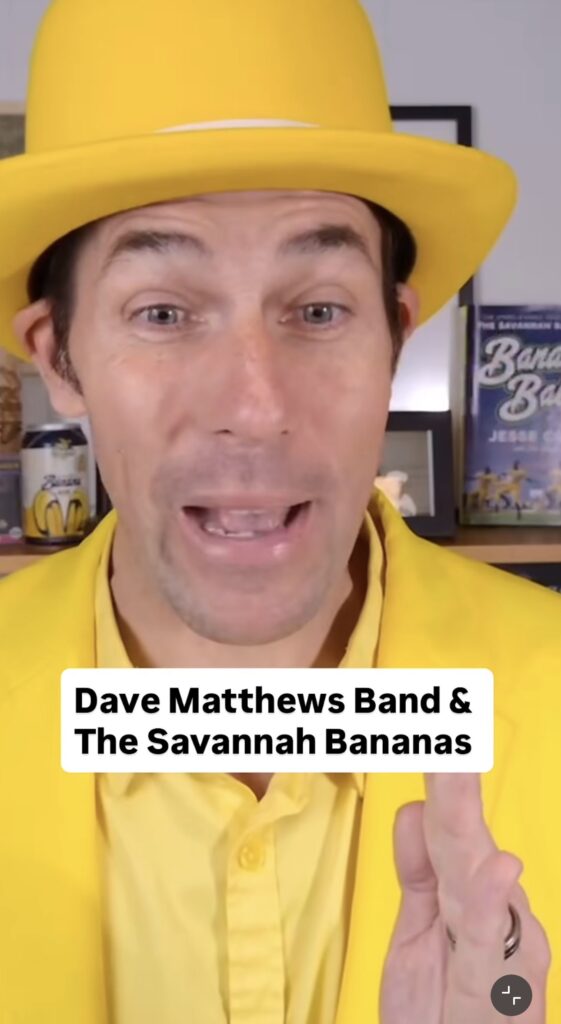
If you’ve ever watched a Savannah Bananas reel, you know: it’s fast-paced and highly visual.
- Quick scene cuts
- Text layered over clips
- No “dead air”
- Fun, themed music or sounds
It’s energetic and impossible to scroll past. Perfect for short attention spans.
2. Josh Pate, Sports Analyst & Podcaster

Instead of just uploading podcast clips, Josh tailors every reel for Instagram:
- Closed captions to hold attention
- Split screen with B-roll on top and his face below
- Switching angles between close-up and wide shots
This keeps his content watchable even if you don’t care about sports.
3. My Own Social Media Reel Series: “If I Were Your Social Media Manager”
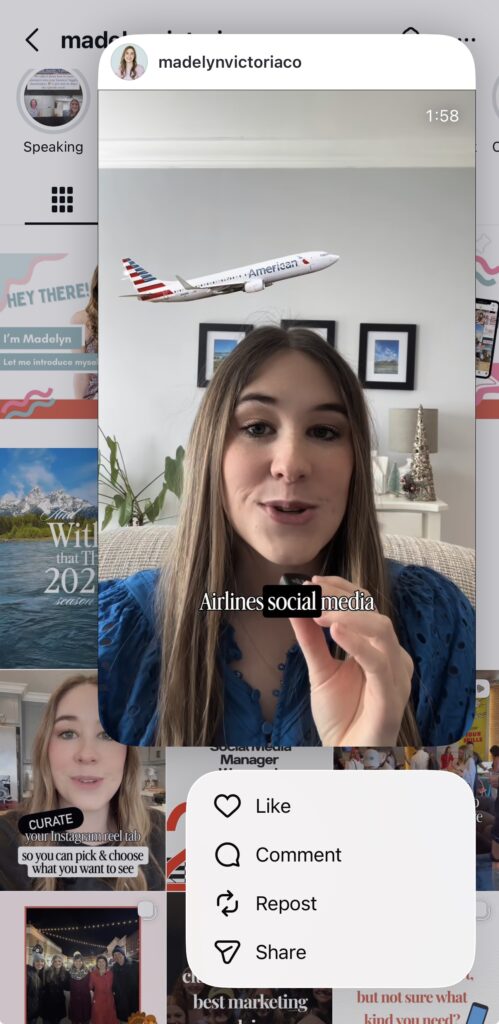
In a reel I made about American Airlines, I used:
- Swipe transitions between clips
- Stock footage and screenshots
- Strategic text overlays
- Captions + SFX (sound effects)
It felt polished, but only took 30 minutes to create.
Easy Reel Tips for Small Business Owners (No Editing Skills Needed)
If you’re a service provider or entrepreneur without a video team, there’s no need to stress or feel discouraged! You don’t need fancy tools to make better content.
Try these 5 easy tips instead:
1. Add movement in the first 3 seconds
- Pick up or set down your phone
- Walk into frame
- Sit down or stand up mid-recording
- Start in your car, kitchen, or workspace
Why it works: Movement in the beginning grabs attention immediately.
2. Cut out the pauses
- Use tools like the Edits app or Capcut to automatically trim silence
- Or manually edit out gaps to keep the pace quick
Why it works: No one waits for your point. Make every second count.
3. Use bold on-screen text early
- Ask a question: “Tired of getting 12 views on your reels?”
- Share a bold statement in the on-screen text. Here’s an example: “90% of viewers drop off in the first 3 seconds. Here’s why.”
Why it works: People read faster than they listen; lead with impact.
4. Always add closed captions
- Most viewers scroll with the sound off
- Closed captions increase retention and accessibility
Pro tip: Instagram’s Edits app or the Capcut app make this easy.
5. Use trending audio clips
- Look for the 🔼 arrow in Instagram’s audio library
- Film 3–5 simple clips that match the beat
Why it works: Trending sounds are favored by the algorithm + recognizable by viewers.
Want an overview of what the actual process of working with me looks like — from how content gets off your plate to what changes in the first 30 days? Click here to read a short blog post about it!
Bonus Tools for Better Reels
You don’t need pro software to get started. Try:
- Edits App: Simple, fast, beginner-friendly
- Capcut: Powerful, slightly more advanced, and tons of options
Both help you:
- Auto-cut silences
- Add captions
- Overlay video clips
- Use transitions, sound effects, and music
Final Thought: Your Goal Is Momentum, Not Perfection
You don’t need to be a video editor or influencer. You just need to:
- Start with solid content that solves a real problem
- Keep it moving visually
- Make it easy (and fun!) to watch
One reel. One tip. That’s it. Try it this week and see what happens!
And if you’re thinking, “This sounds great, but I still don’t want or have time to edit reels like this,” I hear you.
That’s exactly why I offer done-for-you social media management. Let me handle the strategy, the content, and yes, even the editing, so you can show up consistently without it taking over your week.
Grab a time here and let’s chat about how I can take this off your plate!

Madelyn Victoria is a fractional CMO and the founder of Madelyn Victoria Co., where she helps service businesses get visible and bring in consistent leads without doing the marketing themselves. She builds the strategy and runs it herself — social media, email, and Showit websites.


+ show Comments
- Hide Comments
add a comment